Choose what to lock
Pick apps you want to pause and set your daily step goal.
WalkLock
WalkLock turns steps into screen time. Set a goal, walk with Apple Health, and unlock your apps when you hit the target.
WalkLock is an iPhone app that locks selected apps until you reach a daily step goal. It reads steps from Apple Health and unlocks automatically when you hit the target.
Manual steps do not count. WalkLock requires Screen Time permissions and Apple Health access, and it only supports iOS 18+.
WalkLock uses anonymized usage analytics and Apple Health step counts to power unlocks and measure effectiveness. Detailed step data stays on-device, is never sold, and you can revoke Apple Health access at any time.
3-step loop
Choose what to lock
Pick apps you want to pause and set your daily step goal.
Walk with Apple Health
WalkLock reads real sensor steps from iPhone or Apple Watch.
Unlock automatically
Hit your goal and locked apps open again with no manual toggles.
Live preview
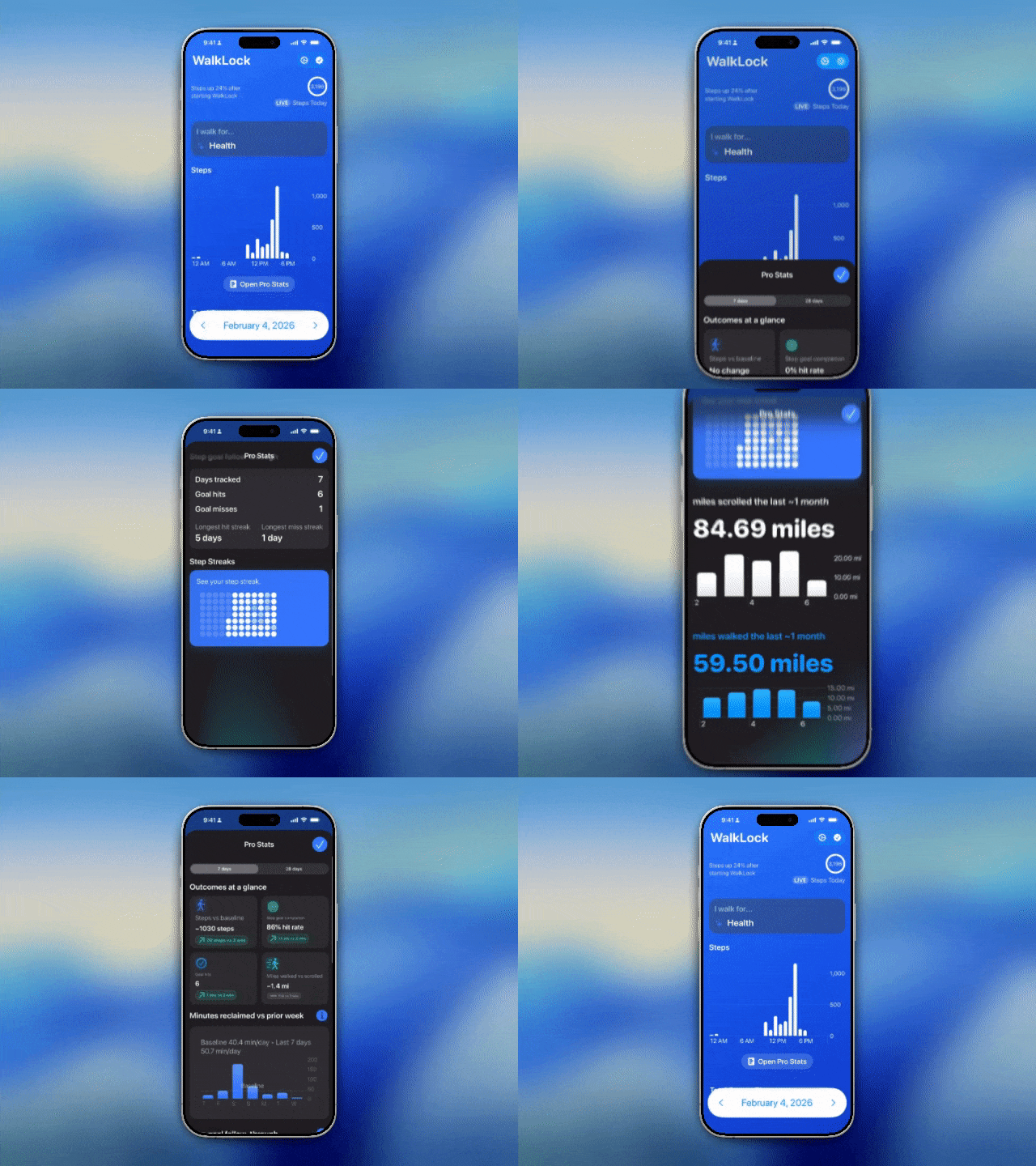
A clear lock state, step progress from Apple Health, and a clean unlock moment once your goal is reached.
WalkLock uses Apple’s Screen Time APIs to apply app locks safely and consistently. This keeps the experience native to iOS, respects system rules, and makes the lock/unlock flow feel familiar.
Still have questions? See the full FAQ for detailed answers. Read the FAQ.